
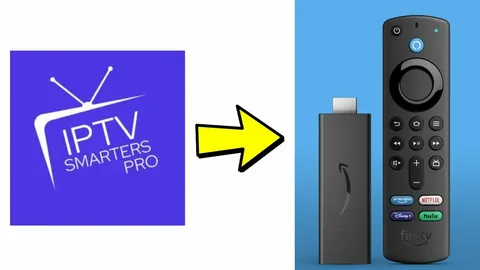
IPTV has become one of the most popular ways to watch live TV, sports, and movies in the UK. Many users prefer using Amazon Firestick because it is affordable, easy to use, and works perfectly with IPTV apps. With the right setup, you can watch thousands of channels directly through your internet connection without needing satellite or cable.
In this guide, we will explain how to set up IPTV on Amazon Firestick in the UK step-by-step, which apps to use, what you need before starting, and how to make sure your streaming works smoothly.
What You Need Before Setting Up IPTV on Firestick
Before installing IPTV, make sure you have the following:
- Amazon Firestick (any version)
- Stable internet connection
- IPTV subscription
- IPTV player app
- Amazon account logged into Firestick
Most IPTV providers will send you login details such as:
- Username
- Password
- Server URL
- M3U link or Xtream Codes
You will need these details during setup.
Many IPTV UK users prefer buying a subscription from gbiptvuk.com because Firestick works very well with stable IPTV servers and fast UK channels.
Why Firestick Is Best for IPTV in the UK
Amazon Firestick is one of the most used streaming devices in the UK. It supports most IPTV apps and can stream HD and 4K without problems.
Advantages of Firestick for IPTV
- Easy to install apps
- Works with IPTV Smarters, TiviMate, XCIPTV
- Supports HD and 4K
- Portable and small
- No dish or cable needed
- Works with Wi-Fi or Ethernet
Because of these features, many IPTV users choose Firestick instead of Smart TV apps.
Step 1 – Prepare Firestick for IPTV Installation
IPTV apps are sometimes not available in the Amazon App Store, so you must allow installation from unknown sources.
Follow these steps:
- Turn on Firestick
- Go to Settings
- Select My Fire TV
- Click Developer Options
- Turn ON
- Apps from Unknown Sources
- ADB Debugging
This allows you to install IPTV apps manually.
Step 2 – Install Downloader App on Firestick
Downloader is needed to install IPTV apps.
Steps:
- Open Firestick Home
- Go to Search
- Type Downloader
- Install the app
- Open Downloader
- Allow permissions
Downloader lets you install APK files safely.
Most IPTV users use Downloader to install Smarters, TiviMate, or XCIPTV.
Step 3 – Install IPTV Smarters on Firestick
IPTV Smarters is one of the easiest apps for beginners.
Steps to install:
- Open Downloader
- Enter IPTV Smarters APK URL
- Click Download
- Install the app
- Open IPTV Smarters
Now the app is ready to connect to your IPTV subscription.
Step 4 – Add IPTV Login Details
After opening IPTV Smarters, select:
Login with Xtream Codes API
Enter:
- Username
- Password
- Server URL
Click Login.
If details are correct, channels will load automatically.
You will see:
- Live TV
- Movies
- Series
- Catch-up
This means IPTV is working.
Many users in the UK prefer using this UK IPTV provider because the login works instantly without errors and channels load faster on Firestick.
Step 5 – Install TiviMate (Alternative App)
TiviMate is another popular IPTV app for Firestick.
To install:
- Open Downloader
- Enter TiviMate APK link
- Download
- Install
- Open app
- Add playlist (M3U or Xtream Codes)
TiviMate gives better TV guide and faster channel switching.
It is recommended for sports and HD streaming.
Step 6 – Improve IPTV Streaming Quality
If IPTV buffers, try these tips.
Use Fast Internet
Recommended speed:
- HD → 20 Mbps
- 4K → 40 Mbps+
Use Ethernet Adapter
Wi-Fi can be unstable.
Firestick Ethernet adapter gives better speed.
Restart Firestick
Sometimes apps slow down after long use.
Restart helps clear memory.
Use Good IPTV Provider
Most buffering problems come from weak servers.
Choose provider with:
- Fast UK servers
- Stable channels
- Good support
This makes a big difference in daily streaming.
Step 7 – Best IPTV Apps for Firestick
Here are the best apps for UK users:
| App | Best For |
| IPTV Smarters | Beginners |
| TiviMate | Best quality |
| XCIPTV | Fast performance |
| IBO Player | Smart TV users |
| OTT Navigator | Advanced users |
All these apps work well on Firestick.
Common Problems When Setting Up IPTV
App Not Installing
Make sure Unknown Sources is ON.
Login Not Working
Check:
- Username
- Password
- URL
Wrong details will not connect.
Buffering
Check internet speed or provider.
Channels Not Loading
Restart app or re-enter playlist.
Most problems are easy to fix.
Is IPTV Legal in the UK?
IPTV technology itself is legal.
Many services use IPTV including:
- Netflix
- BBC iPlayer
- Amazon Prime
- NOW TV
However, legality depends on the provider and content rights.
Always use trusted services to avoid problems.
Why Many UK Users Use Firestick for IPTV
Firestick is popular because:
- Cheap device
- Easy setup
- Works with all IPTV apps
- Supports HD / 4K
- Portable
Instead of paying expensive cable bills, users can stream everything through internet.
This is why IPTV + Firestick is very common in the UK.
Final Thoughts
Setting up IPTV on Amazon Firestick in the UK is simple and takes only a few minutes. You only need a Firestick, internet connection, IPTV subscription, and an IPTV app like Smarters or TiviMate.
Once installed, you can watch live TV, sports, movies, and series anytime without cable or satellite.
Firestick is one of the best devices for IPTV because it is fast, easy to use, and supports all major IPTV apps. If you use a stable provider and good internet connection, IPTV on Firestick can give a smooth and high-quality streaming experience.