
Six months ago, making a video meant either hiring someone or spending hours in editing software. Now you can type a sentence and get back a 1080p clip with synchronized audio in under a minute.
I’ve spent the past few weeks testing AI video tools seriously — not just playing around, but actually trying to produce content I’d be willing to put my name on. Gemini is the one everyone’s talking about right now, and for good reason. But after putting it through its paces, I have some thoughts that go beyond the hype.
The Gemini Video Experience, Honestly
Let’s start with what Google actually built here.
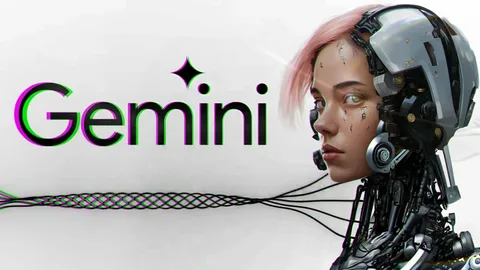
Gemini’s video generation runs on Veo 3.1, Google DeepMind’s latest video model. When you open the Gemini app and ask it to make a video, you’re interacting with one of the most technically sophisticated generation systems available to consumers right now.
The thing that genuinely impressed me first wasn’t the visuals — it was the audio. Veo 3.1 generates sound and video at the same time. Not “we added a stock soundtrack afterward.” Actual synchronized audio: a character speaking with matching lip movement, rain hitting pavement in the background, the ambient hum of whatever environment you described. For the first time, an AI video felt like something that could stand on its own without post-production.
The visual quality is legitimately good. Full 1080p, physically plausible motion, lighting that responds to the scene. Short clips — product shots, atmospheric sequences, single-scene moments — look polished enough that you wouldn’t immediately clock them as AI.
The multi-turn editing inside the app is also underrated. Most people generate a clip, decide it’s not quite right, and start over with a new prompt. Gemini lets you stay in the conversation — “make the background warmer,” “slow down the camera movement,” “add fog” — and it iterates from there. It’s a much more natural workflow once you get used to it.
Where It Starts to Show Cracks
Here’s where I have to be honest, because the limitations are real and they’ll affect how you can actually use this.
Eight seconds. That’s the ceiling for a single generation. For a social media hook or a looping visual, that’s workable. For anything with a story, a sequence of events, a before-and-after — you’re stuck stitching clips together manually, and the seams show.
The cost adds up fast. On the API side, Veo 3.1 Standard runs $0.40 per second of generated video. One clip costs $3.20. That sounds manageable until you’re iterating on a dozen variations of the same scene. The Google AI Pro subscription ($19.99/month) gives you roughly 90 Fast-tier generations per month, but caps you at about 3 per day inside the app. If you hit a creative streak, you will hit that wall.
Watermarks are non-negotiable. Every video carries both a visible watermark and an invisible SynthID signature. For personal projects and drafts, fine. For anything client-facing or commercial, it’s a real limitation.
Character consistency across shots doesn’t exist yet. Generate a clip of a woman in a red jacket, then generate the next scene with the same prompt — you’ll get a similar but different woman in a red jacket. If you’re building any kind of narrative or branded content with recurring characters, this is a fundamental problem.
That last one is the gap that pushed me to look at what else was out there.
The Consistency Problem and How Some Tools Are Solving It
Character drift — where your subject looks slightly different every time a new clip generates — is the biggest unsolved problem in consumer AI video right now. Gemini hasn’t cracked it. Neither have most of the others.
A few tools are making real progress on it, though.
I started testing Seedance free video generator around the same time I was deep in Gemini, mostly because I kept seeing it mentioned in creator forums. What stood out immediately was the multi-reference input system. You give it a reference image for your character, a video clip for camera movement style, and a text prompt — all at once. The model synthesizes from all three simultaneously, rather than treating the text as the only source of truth.
The result is that characters actually look like themselves from one clip to the next. Same face structure, same clothing details, same posture. It’s not magic — there are still imperfect frames — but it’s meaningfully better than anything I’d seen from Gemini or Sora on multi-shot content.
What Changes With Multi-Shot Control
Once you can reliably keep a character consistent, the kind of content you can make changes completely.
Instead of isolated 8-second moments, you can build actual sequences: an establishing shot, a close-up reaction, a wide pull-back, all featuring the same recognizable person or character. That’s not just a technical improvement — it’s the difference between making a clip and telling a story.
This is where Seedance 2.0 specifically makes a case for itself. The model supports sequences up to 15 seconds per generation, with an extend feature that lets you continue scenes with consistent motion flow and character identity. The camera control vocabulary is also more developed — you can specify tracking shots, dolly zooms, rack focus transitions — through plain text, not a control panel.
For anyone building short-form branded content, product stories, or anything that needs visual continuity across more than one shot, that level of control matters.
So Which Tool Should You Actually Use?
Depends entirely on what you’re making.
If you want the smoothest experience with the least setup: Gemini is the answer. It’s inside an app you probably already use, the interface is clean, and the audio quality is hard to beat. For concept sketches, single-scene social content, or just experimenting with what AI video can do — start here.
If you need more than one shot: The character consistency problem will frustrate you quickly in Gemini. This is where tools built around reference inputs and multi-shot workflows earn their place.
If cost is a deciding factor: The free tiers vary a lot right now. Gemini’s free access is limited, and the Pro plan isn’t cheap for light users. If you want to get serious about AI video without committing money upfront, testing a free generator first is the smarter move.
If you’re building something commercial: Think about watermarks and commercial licensing before you pick a tool. Not every platform gives you clean, license-clear output by default.
The Bigger Picture
What I keep coming back to after all this testing is that we’re in a moment where the tools are genuinely good — but no single one is complete. Gemini leads on audio and polish. Others lead on character consistency and multi-shot control. The gap between them is narrowing fast.
The creators who are getting the best results right now aren’t married to one tool. They’re using Gemini for what it’s great at, and routing around its limitations when something else fits the job better.
That’s probably the most useful frame you can bring to this: not “which AI video tool is best” but “which tool is best for this specific thing I’m trying to make.” The answer will change depending on the project — and it’ll change again in six months as all of these models keep improving.